Hello again,
This is an update on the continued process of adding accessibility options to Key Fairy. My previous post on this topic can be found here!
TLDR
This post is quite long and a bit technical! If you don’t feel up for it the key take-aways are:
- Accessibility options are hard to implement, but not that hard to implement. Any studio larger than one person should be able to include at least some.
- The process of designing for accessibility changes your perspective on the design, often improving the base game for everyone!
Overview!
In the previous post I worked out a list of the options we wanted to implement, looking at the Game Accessibility Guidelines as a reference. I went through and expanded the UI to account for all the additional options. Since then I have implemented a majority of the planned options, and even started work on some additional options thanks to suggestions from our community (sorry for saying the word “options” so much, I fear it is unavoidable).

From start-to-now this process took around two weeks of work for one person. That is not insignificant, but is ultimately really manageable for a studio of any size. We are two people, and we found the time. (Plus, a fair amount of the time was spent making the UI all freaky, which was probably not necessary).
The process of developing these systems has lead to some interesting places, so lets look at a few of them!
Palettes!
The first option added was a palette shift. I actually started working on this a while ago, whilst developing a different game with a screen-space palette-shift shader.


One of the benefits of the game being four solid colours to begin with is that it makes this sort of direct colour shifting a bit simpler.
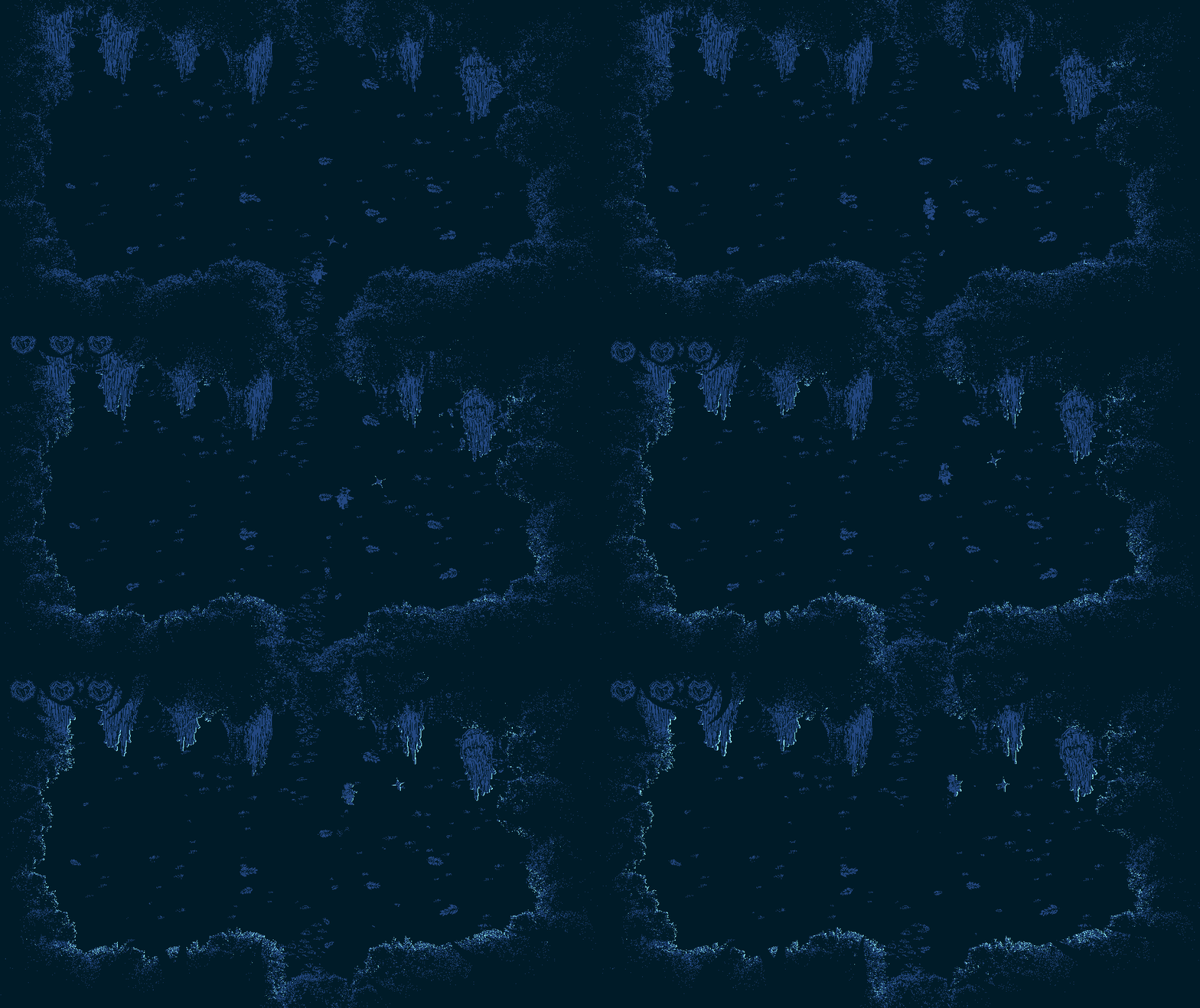

This was something we were thinking about since the start of development. We even experimented with post-processing in the first few weeks, but elected to focus on one unified aesthetic.

Palette shifting was added to provide support for people with colour blindness or eye strain, but I’ve been surprised by how much I’ve enjoyed it despite having neither of those issues.
As good as a focused aesthetic is, it can get tiring to look at the same colours for hours on end (at this point I have been looking at black and white for over a year!), and I find the new palettes provide a fresh perspective on the forest.
I now mostly play the game with shifted colours, and it’s nice that we can provide new palettes to players as rewards/collectables.

No Moving Cameras!
Key Fairy started out with all single-screen rooms, trying to evoke old-school Zelda and the like.

Along the way though, we wanted to add larger areas, and it made sense to implement a moving camera in certain rooms, tracking the player with a little bit of acceleration to make it feel natural. At its best, this can make long tunnels feel longer, and can make enemy engagements feel like being hunted by wolves.

However, some players found the moving cameras tricky to keep up with, and so we wanted to provide an option to switch to only single-screen chambers. This wasn’t super complicated, but was a bit fiddly with adjusting cameras for the different room sizes.

But in implementing it, I got to play through some of the rooms as one screen for the first time, and it completely shattered my assumptions. Follow cameras can make areas feel claustrophobic and tight. For a long hallway it makes sense to have a follow camera, but in many areas it actually communicates our intended experience better to just show the whole room.
Compare the above gif to the one below:
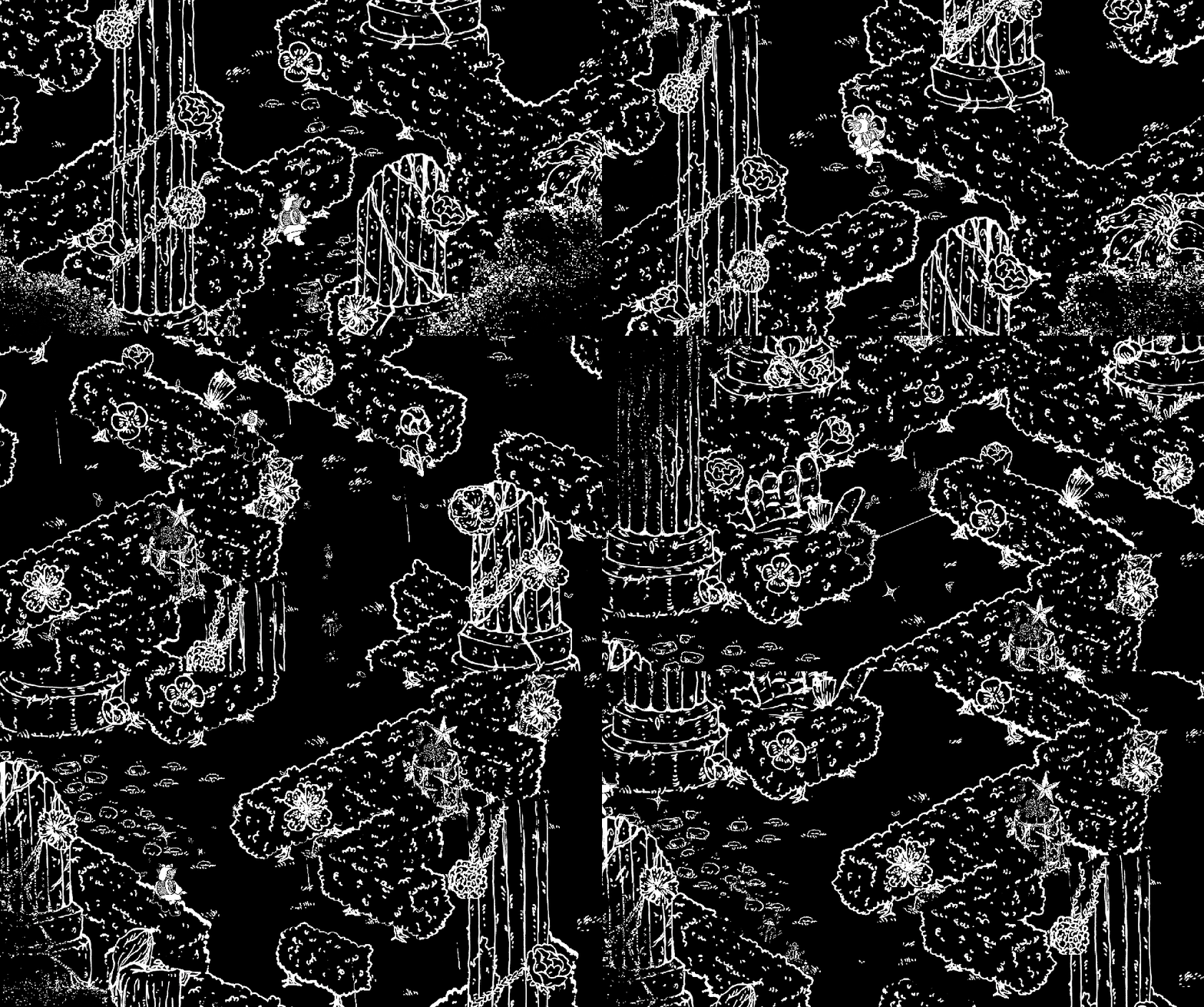
Additionally, we have realised that the follow camera makes movement harder.
Because of the floaty movement of our character, a lot of the gameplay is based on fore-planning, requiring the player to see what’s ahead. Looking back through playtesting, the area’s where players reported finding movement the most frustrating tended to have a tight follow camera.
So I’ve been going through and making more of the rooms use static, single-screen, cameras as a default, especially dense areas where players are expected to make sharp turns. However, there has been an issue with the single-screen option:
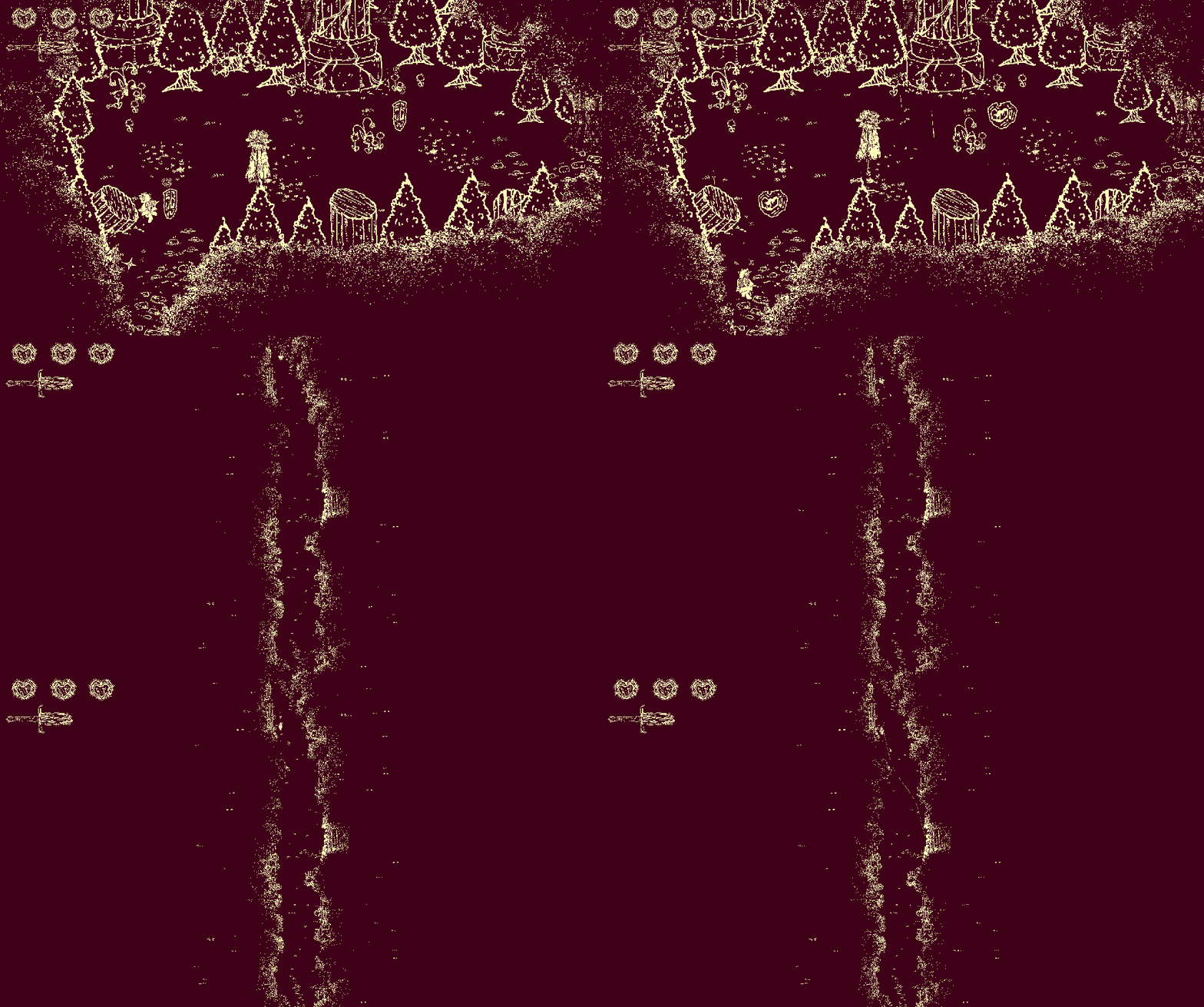
Some of the tunnels are so long that the key fairy is tiny in comparison.
This is actually not bad in all circumstances, I have been working on more rooms that use this effect to produce tension, or demonstrate scale.

But for most tunnels this isn’t great. Currently I have just left long tunnels to use a follow camera, even with the No-Follow-Camera setting, but in the future I plan to add an option to have them split into segmented single-screen sections (like Zelda 1’s more open areas). In addition I hope to add a separate option to keep the follow but remove the acceleration, locking the camera to the player (the acceleration specifically can cause motion sickness to some players).
Assist Mode!
I really thought the Assist Mode options where going to take ages. However, I was able to add all of them over the course of less than 2 days.
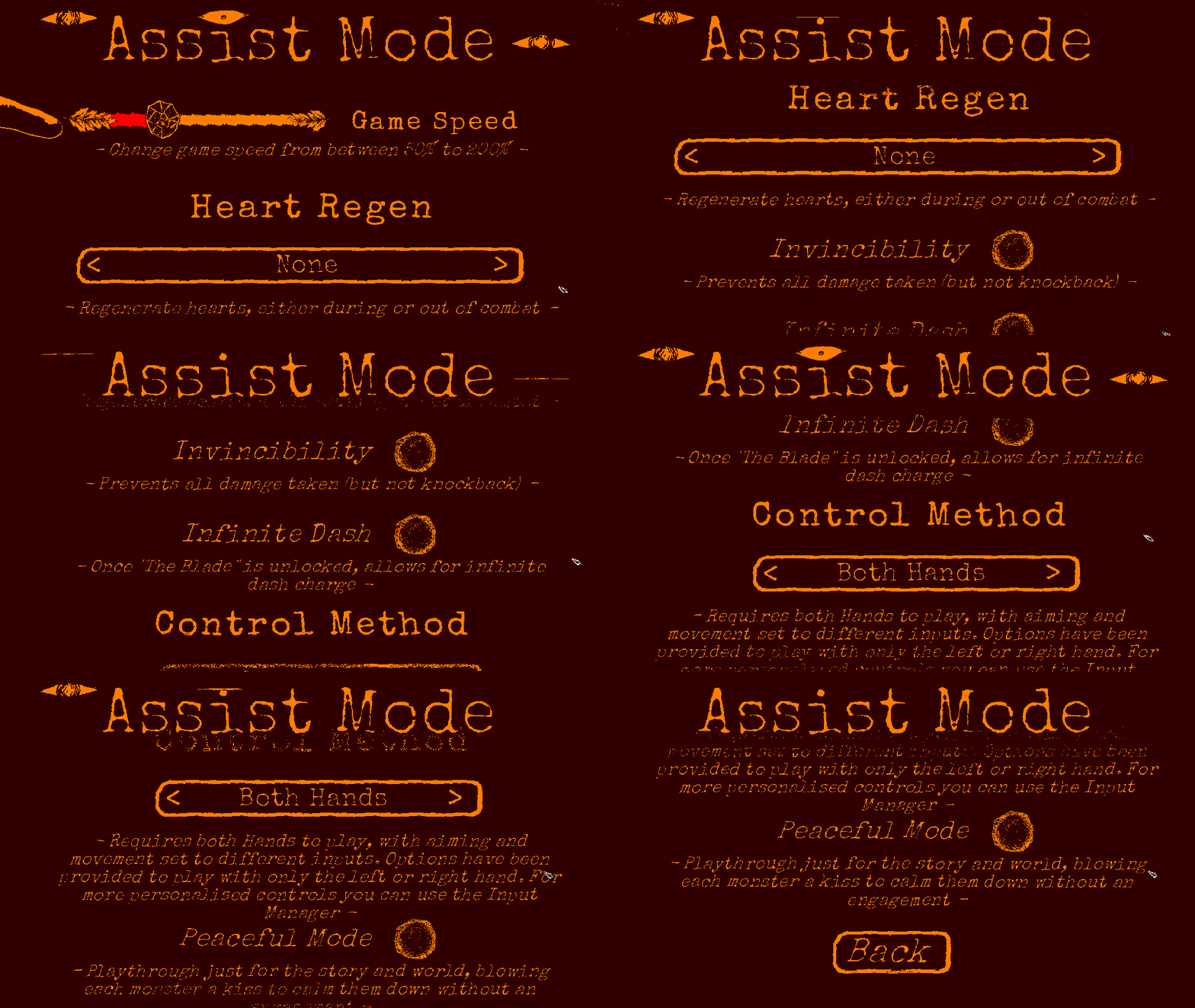
The assist options changed a bit from the initial plan, with some being expanded to include more variation, and some being completely re-worked. Lets go over a few:
Peaceful Mode – I thought for sure this would be the hardest one to implement, but it actually was incredibly easy. All it does is:
a) make the player invulnerable
b) make you spawn little hearts upon entering a room, which fly toward the monsters, calming them instantly.
This means that there is still a tangible interaction with monsters, but it is safe for players who don’t want to deal with engagements.

Game-Speed – This is just a quick one (a lil’ speed pun, for you sonic fans out there), but when adding a slider to reduce the speed of the game, I realised I could make it could go both directions:

Control-Method
This was the most complicated option to implement, and is the furthest shift from the original plan. The desire was:
For it to be possible to play the game with only one hand.
The problem is:
The core movement relies on the relationship between grappling and dancing to move in complex patterns. If you just use one input method you will struggle to get around.
Initially the option would just simplify the controls. However, movement is a core aspect of the experience, and this option would remove everything that made it interesting.
But!
I realised that instead of simplifying either input, you could just bind both the move and grapple direction to one input method.
[I was going to insert a gif here, but it literally looks the exact same as normal play]
This allows a player to single handedly move, aim, and grapple.
It still needs work, and in the long term we will be allowing full controller remapping, to let players customise their own setup, but I have now personally played through the game with only one hand, and found that it both worked, and delivered as close to the intended experience as we can hope for.
This has also lead to 2 key take-aways, one broad and one specific:
- Input managers should allow multiple actions bound to the same input, as it can allow for custom controller setups for those who need it.
- This system could work for split-screen multiplayer, and on something like a Nintendo joy-con. Might not happen, but good to know that it could!
The End… For Now!
So that’s that. I still have a bit more to do, but I don’t know how interesting it’ll prove to be (how much do you want to learn about input mapping lol) so this may be the last post on the topic, at least for a while.
A final note:
One statement I’ve been avoiding is:
“Including accessibility options is just good business“
This is something that people say a lot, and I don’t fault them for it. It is, usually, good business to make your game as accessible to as many player-customers as possible.
However,
I personally dislike this sort of language. The direct implication is that:
“If it weren’t good business, you shouldn’t include accessibility options”
And “good business” isn’t always so cut-and-dry. If you have a community who is historically unable to play certain games, they may not hear about your game, even if it is accessible to them. It takes time and effort for it to get into their hands, and so it may not be good business, at least not in the short term.
But I’m not here for the short term, and I don’t care about good business.
I’m here to make art. I want to make work that is meaningful. And I would like people to be able to experience it.
Provided I can do it sustainably, I’m happy to put in a bit of extra work to make games that are playable for everyone who wishes to play them.
 Tex Barnes