
Hello,
I have been expanding Key Fairy’s options system, and I felt like now was a good time to talk about Accessibility! It’s really important to me that we make this game as accessible to as broad an audience as possible. We are only two people, so obviously we can’t do everything, but there is a lot that we can do! So here’s how I went about doing the new options:

First, I went through every recommendation provided by Game Accessibility Guidelines and compiled a list (seen below). For this list I marked in green every recommendation that we had already met in the base game, in blue every recommendation that we can develop options to provide for, in darker green every option that wasn’t applicable, and in red every recommendation that would likely be out of scope for us. Again, we can’t achieve everything, and I am prioritising providing options that have the greatest impact for the amount of development time.
Of specific note for us is that the game is purposefully very complex to navigate, the creatures speak in esoteric riddles, and the game is fast paced, real time, and relatively difficult. We want do as much as we can to provide options to slow the game down, reduce the difficulty, and make it more legible, but there is only so much we can do.

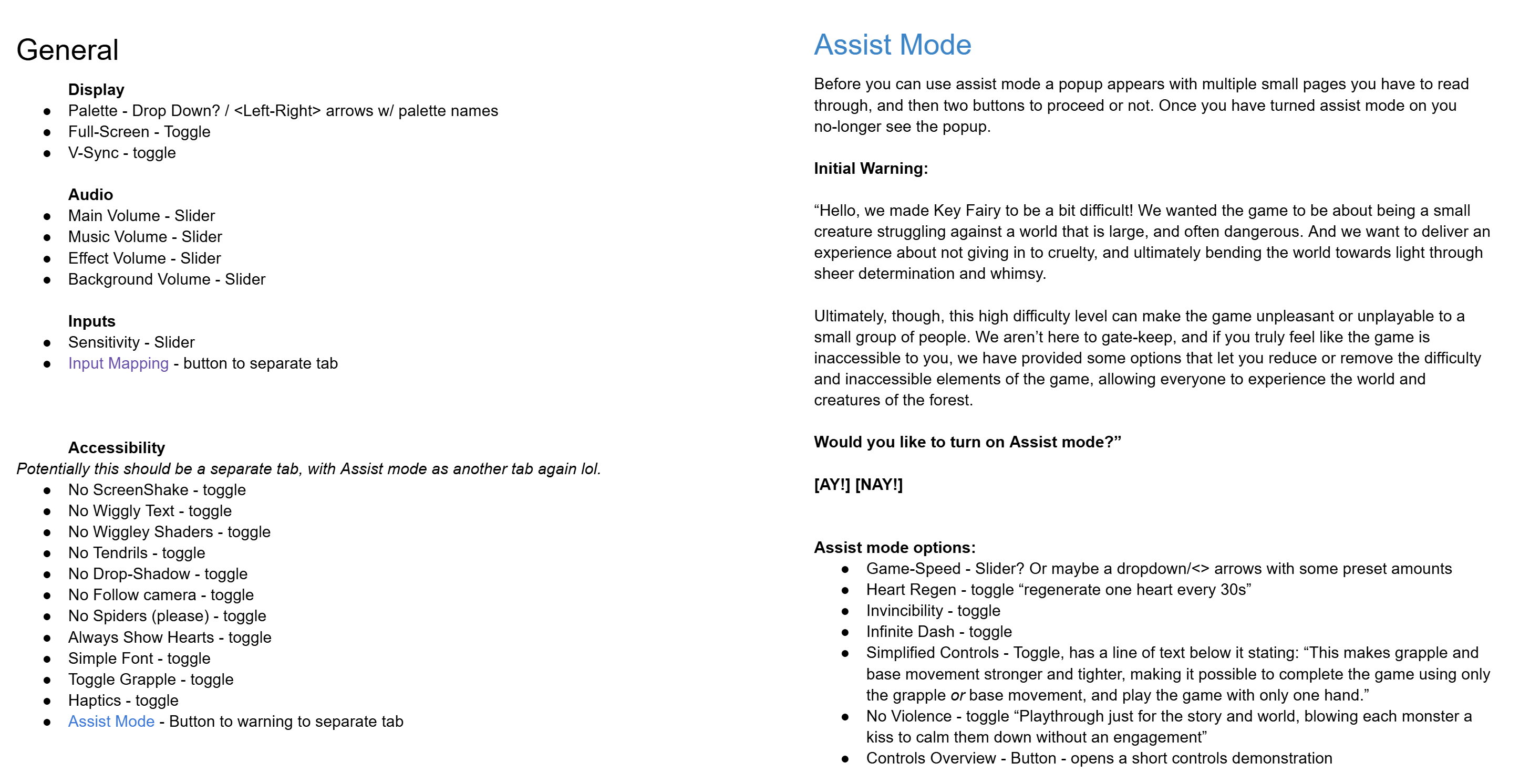
Secondly, I planned out the options we’ll need (also seen below). Of note, accessibility options are not just used by gamers with disabilities and other impairments, options such as reducing the game speed can reduce the difficulty for more casual players who just want the story, and younger or less experienced gamers who may also struggle with the high skill floor. It’s the Curb cut effect, where an option originally introduced to help those with disabilities ends up being used and appreciated by a larger group than the people they were designed for. A classic example is Subtitles, which were developed for those hard of hearing, but have now been adopted by people playing games while listening to music (or youtube), and audiences trying to understand Christopher Nolan movies (Bwaaaaa).
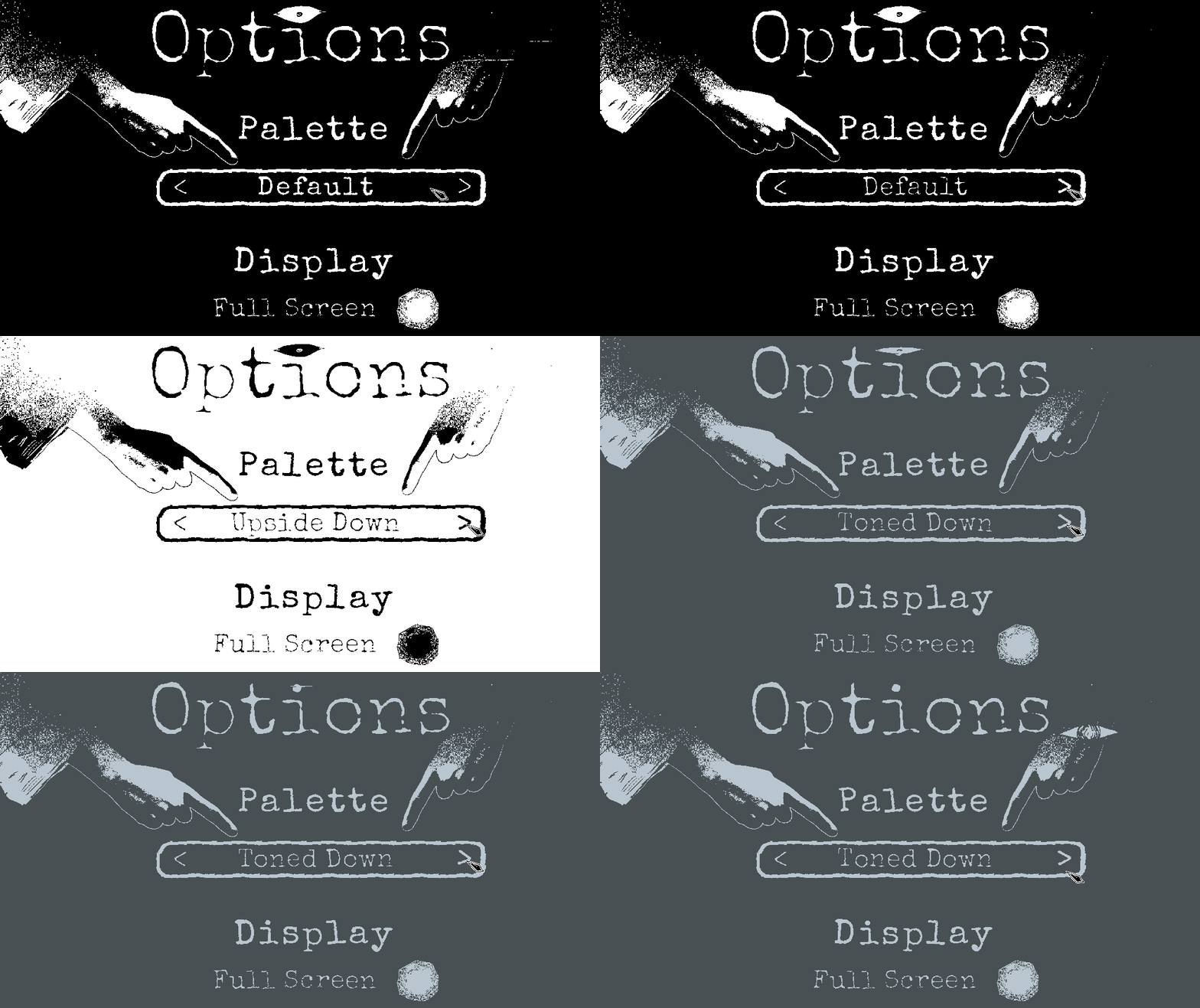
Next, I had to actually make the UI elements for this, which is a whole thing on it’s own, but I have attached some gifs to showcase the setup I ended on. The first tab includes a variety of general options as well as a palette shift. We plan to have new palettes unlock in through gameplay, but I wanted to include a couple of options initially for players who need a lower contrast or color shifted experience.

The accessibility tab includes a variety of options which change the aesthetic experience of the game for those who need it (including an arachnophobia option). Whilst these options do impact the intended experience, it’s worth having as the game does include a lot of visual noise, which can overwhelm some players.

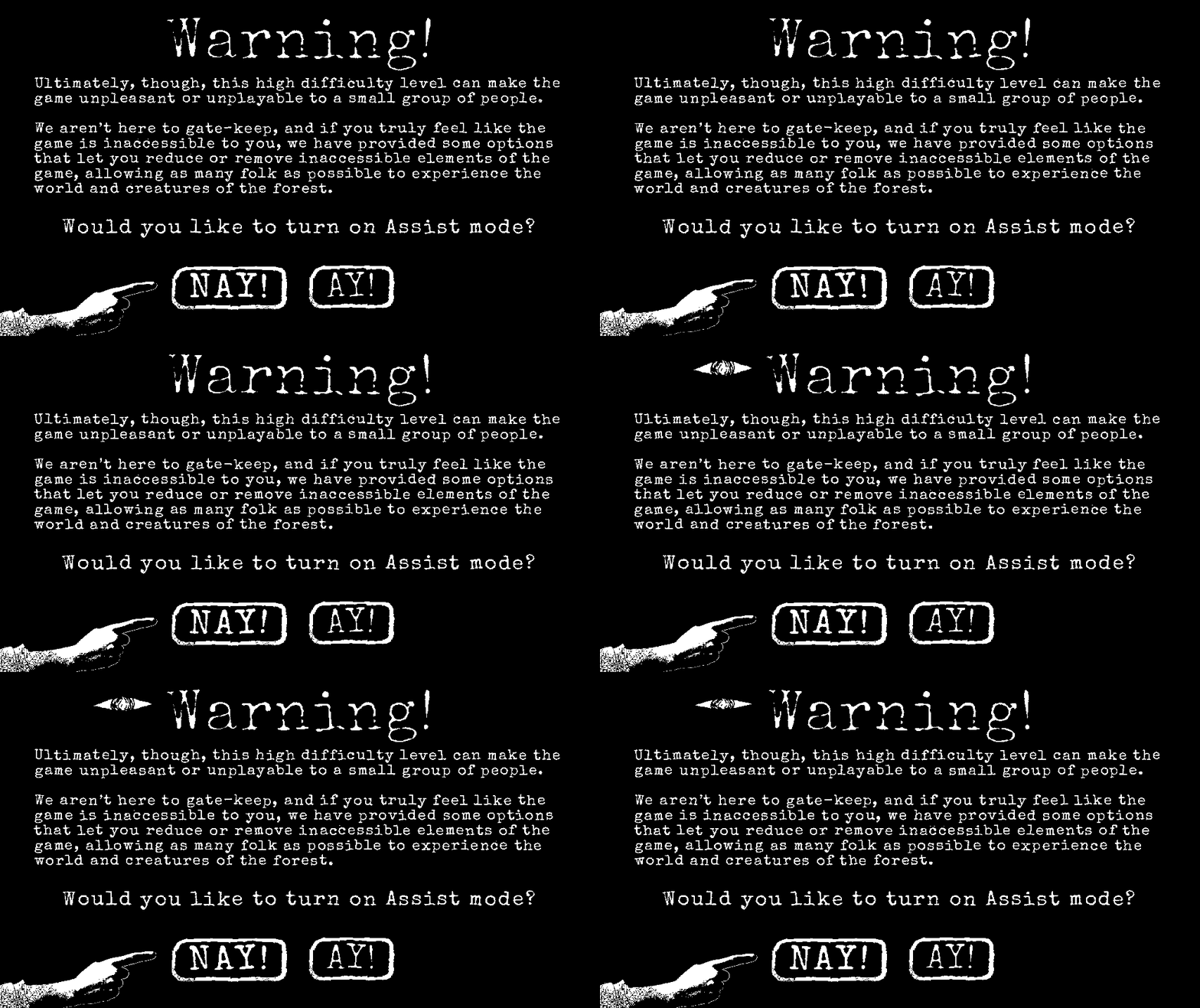
Finally I have included an Assist Mode. I stole borrowed the idea of Assist Mode from the developers of Celeste. To assist players who found the base game too inaccessible and difficult I wanted to include a few different options that could better adjust it to their specific capabilities, including reducing the game speed, regenerating health, and even drastic options such as invincibility or turning off engagements altogether. The aim is to provide a range of options to suit a range of ability levels, from those who only need a slight leg up, to those who need substantial assistance.

As these have a profound impact on our intended experience, I included a warning to let the player know that these are not difficulty settings, but accessibility options.

I’m not done, obviously. Many of these options still need to be actually integrated into the game (it’s one thing to lay them out, a whole other to connect them), but more that we need to get actual feedback about how effective they are in-game. We are continuing to playtest and iterate on our designs, and accessibility is no different. Moving forward, I hope to playtest with a more representative group of players, to get feedback on were these options succeed or fail to make the game accessible.
Best Wishes,
Tex
 Tex Barnes